Projects to build

From a traffic light to a robot. 8 featured projects and a catalogue of 186 projects in three levels. Each one lists the parts and what you will learn.

Project catalogue

Start with the featured projects or pick your level (62 projects in each). Search by topic (watering, robot, solar…) and see the key parts and what you learn in each project. Projects with an example in the Virtual Lab have a button to try them before you build them.

The parts listed for each project leave out the basics: you also need the board's USB cable and, for almost all of them, a breadboard and jumper wires. The projects in this catalogue run on low voltage (USB, batteries or small battery packs): none connects to household mains power.

With a photo, the parts, the estimated time and what you learn. A good way to start.

Beginner1 h

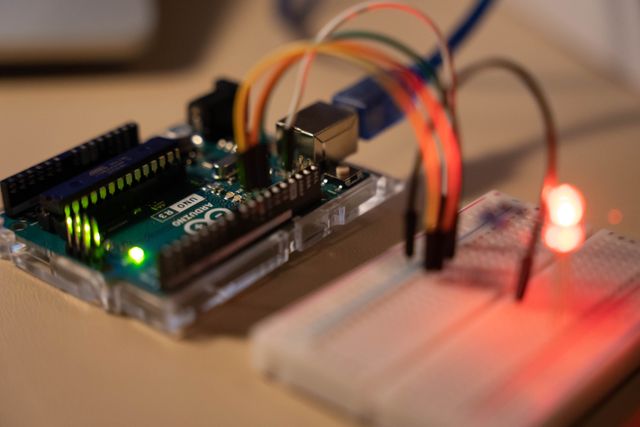
LED traffic light

Your first circuit: three LEDs that change in sequence.

Materials and learning
Parts
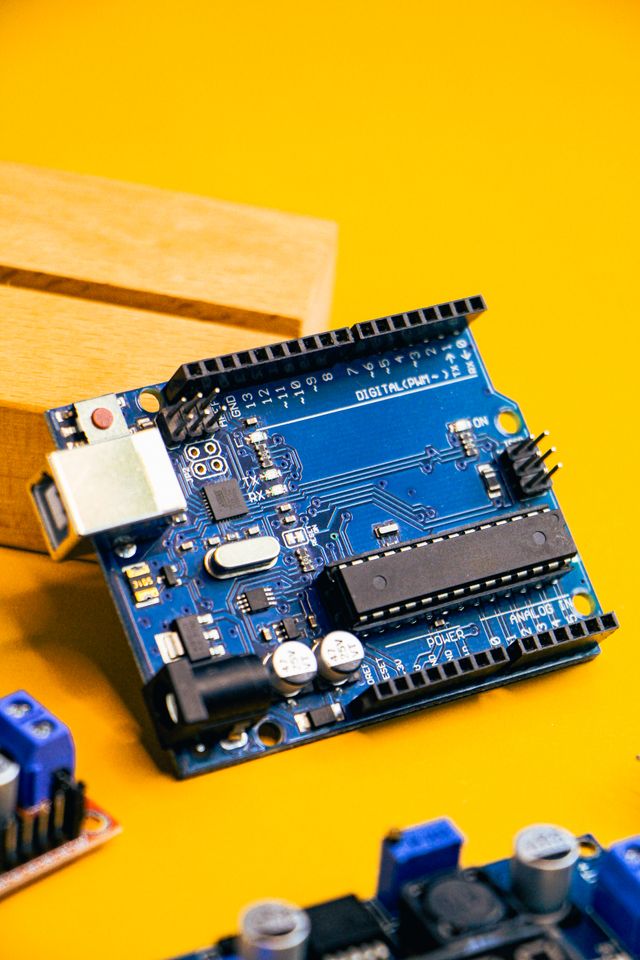
Arduino UNO, 3 LEDs, 3 resistors (220 Ω), breadboard, jumper wires
You learn
Digital outputs, delay(), and sequence logic.
Lab
Try it in the Virtual Lab
Beginner1.5 h

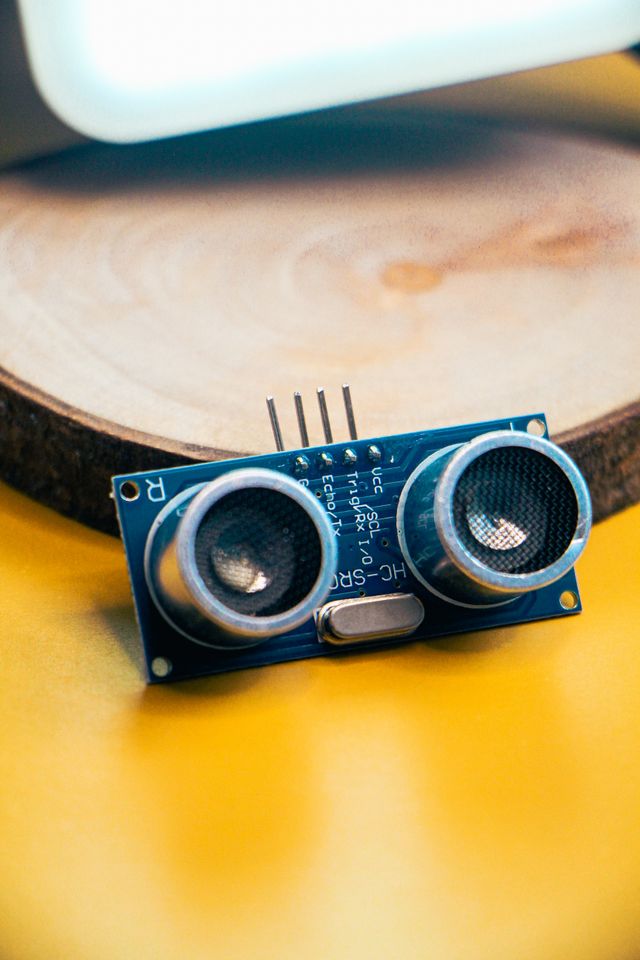
Parking sensor with alarm

Measures the distance to an object and beeps faster as it gets closer.

Materials and learning
Parts
Arduino UNO, HC-SR04 sensor, buzzer, breadboard, jumper wires
You learn
Ultrasonic sensors, pulseIn(), and readings on the serial monitor.
Lab
Try it in the Virtual Lab
Intermediate2 h

Temperature and humidity station

Reads a room's climate and shows it on an LCD screen.

Materials and learning
Parts
Arduino UNO, DHT11 sensor, 16×2 I2C LCD screen, jumper wires
You learn
Arduino libraries, the I2C bus, and displaying data.
Intermediate2 h

Automatic light with a sensor

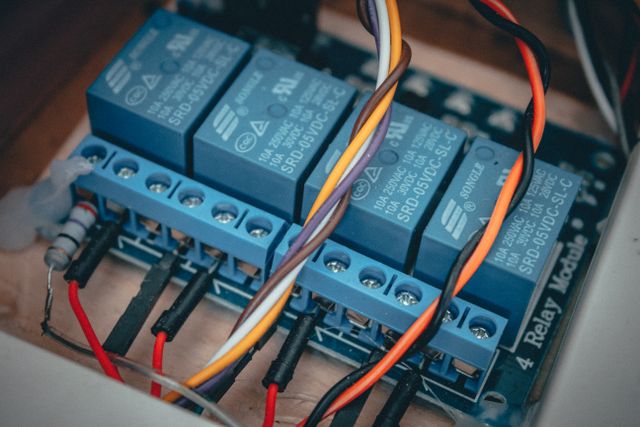
Turns a lamp on at dusk, safely, using a relay.

Materials and learning
Parts
Arduino UNO, LDR photoresistor, 10 kΩ resistor, relay module
You learn
Analog inputs, thresholds, and load control with a relay.
Lab
Try it in the Virtual Lab
Intermediate3 h

WiFi home control

A web page on your ESP32 to switch things on and off from your phone.

Materials and learning
Parts
ESP32 board, relay module, 5 V power supply, jumper wires
You learn
WiFi connection, embedded web server, and remote control.
Advanced4 h

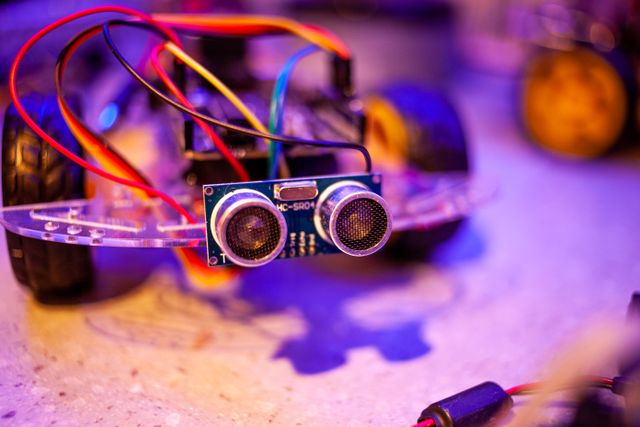
Obstacle-avoiding robot

A four-wheeled car that looks ahead, decides, and turns on its own.

Materials and learning
Parts
4WD chassis kit, L298N driver, servo, HC-SR04 sensor, Arduino UNO
You learn
Motor and servo control and a simple state machine.
Intermediate3 h

Automatic watering

Measures soil moisture and runs a pump only when needed.

Materials and learning
Parts
Arduino UNO, soil moisture sensor, relay module, mini water pump
You learn
Sensor calibration and useful automation for gardens and crops.
Lab
Try it in the Virtual Lab
Advanced3 h

Python dashboard with Arduino

Receives readings over the serial port and saves or displays them on your computer.

Materials and learning
Parts
Arduino UNO with a sensor, USB cable, Python 3, and pyserial
You learn
Serial communication, reading data, and first steps in analysis.

Your first circuits: LEDs, buttons, sound and simple sensors, with short programs. No experience needed; projects go from easiest to hardest.

  • 01

    Blinking LED

    Your first program: turn an LED on and off every second and learn why it needs a resistor.

    You learn Digital outputs with digitalWrite() · Pauses with delay() · Ohm's law and resistors
    Parts
    • Arduino UNO
    • LED
    • 220 Ω resistor
    Try it in the Virtual Lab
  • 02

    Traffic light with three LEDs

    Red, yellow and green change in sequence, each with its own timing, like a real traffic light.

    You learn Sequences and timing · Pauses with delay() · Digital outputs with digitalWrite()
    Parts
    • Arduino UNO
    • 3 × LED
    • 3 × 220 Ω resistor
    Try it in the Virtual Lab
  • 03

    SOS message in Morse code

    An LED repeats the distress signal (three short, three long, three short) using a function of your own.

    You learn Pauses with delay() · Your own functions · Sequences and timing
    Parts
    • Arduino UNO
    • LED
    • 220 Ω resistor
  • 04

    Alternating patrol lights

    Two LEDs, one red and one blue, take turns with quick flashes like a patrol car's lights.

    You learn Digital outputs with digitalWrite() · Sequences and timing · Pauses with delay()
    Parts
    • Arduino UNO
    • 2 × LED
    • 2 × 220 Ω resistor
  • 05

    Chaser lights with an array

    Five LEDs light up one after another and come back, stepping through an array with a loop.

    You learn Arrays · for and while loops · Sequences and timing
    Parts
    • Arduino UNO
    • 5 × LED
    • 5 × 220 Ω resistor
    Try it in the Virtual Lab
  • 06

    4-LED binary counter

    Count from 0 to 15 and show each number in binary with four LEDs: on is 1, off is 0.

    You learn Binary numbers · Bit operations · for and while loops
    Parts
    • Arduino UNO
    • 4 × LED
    • 4 × 220 Ω resistor
  • 07

    Breathing LED

    An LED's brightness rises and falls smoothly, like breathing, using a PWM output.

    You learn PWM with analogWrite() · for and while loops · Digital outputs with digitalWrite()
    Parts
    • Arduino UNO
    • LED
    • 220 Ω resistor
  • 08

    Dimmable lamp

    Turn a potentiometer and the LED's brightness goes from off to full.

    You learn Analog input with analogRead() · PWM with analogWrite() · Scaling values with map()
    Parts
    • Arduino UNO
    • LED
    • 220 Ω resistor
    • 10 kΩ potentiometer
    Try it in the Virtual Lab
  • 09

    RGB mood lamp

    Mix red, green and blue with PWM to create any colour and fade smoothly from one to the next.

    You learn PWM with analogWrite() · RGB and HSV colours · Random numbers
    Parts
    • Arduino UNO
    • RGB LED
    • 3 × 220 Ω resistor
    Try it in the Virtual Lab
  • 10

    5-LED level indicator

    The potentiometer raises or lowers a bar of five LEDs, like the volume on a stereo.

    You learn Analog input with analogRead() · Scaling values with map() · Decision thresholds
    Parts
    • Arduino UNO
    • 5 × LED
    • 5 × 220 Ω resistor
    • 10 kΩ potentiometer
  • 11

    Night light with photoresistor

    The LED turns on only when the room gets dark, measured with a photoresistor.

    You learn Analog input with analogRead() · Light sensing with an LDR · Decision thresholds
    Parts
    • Arduino UNO
    • LED
    • 220 Ω resistor
    • LDR photoresistor
    • 10 kΩ resistor
    Try it in the Virtual Lab
  • 12

    LED switched by a button

    The LED lights while you hold the button: your first digital input, using a pull-up resistor.

    You learn Digital inputs and buttons · Pull-up resistors · Decisions with if/else
    Parts
    • Arduino UNO
    • LED
    • 220 Ω resistor
    • Push button
    Try it in the Virtual Lab
  • 13

    One-button toggle switch

    One press turns the LED on and the next turns it off, keeping the state in a variable.

    You learn Toggling a state · Detecting a press (edge) · Debouncing
    Parts
    • Arduino UNO
    • LED
    • 220 Ω resistor
    • Push button
  • 14

    Button press counter

    Counts how many times you press the button and shows the total on the serial monitor, with no extra counts.

    You learn Counters · Detecting a press (edge) · Serial monitor
    Parts
    • Arduino UNO
    • Push button
    Try it in the Virtual Lab
  • 15

    Brightness with two buttons

    One button raises the LED's brightness and the other lowers it, with limits at 0 and 255.

    You learn PWM with analogWrite() · Limiting values with constrain() · Digital inputs and buttons
    Parts
    • Arduino UNO
    • LED
    • 220 Ω resistor
    • 2 × Push button
  • 16

    Reaction time test

    The LED lights up at a random moment; press as fast as you can and read your time in milliseconds.

    You learn Random numbers · Non-blocking timing with millis() · Decisions with if/else
    Parts
    • Arduino UNO
    • LED
    • 220 Ω resistor
    • Push button
    Try it in the Virtual Lab
  • 17

    Two-player reflex duel

    When the middle light comes on, whoever presses first wins; jump the gun and you lose.

    You learn Random numbers · State machines · Decisions with if/else
    Parts
    • Arduino UNO
    • 3 × LED
    • 3 × 220 Ω resistor
    • 2 × Push button
  • 18

    Debouncing: a button's noise

    Find out why a button counts extra presses and fix it with a short waiting time.

    You learn Debouncing · Serial monitor · Non-blocking timing with millis()
    Parts
    • Arduino UNO
    • Push button
  • 19

    Pedestrian crossing with a button

    Cars have their light and the pedestrian asks to cross with a button; the sequence changes at the right moment.

    You learn State machines · Non-blocking timing with millis() · Sequences and timing
    Parts
    • Arduino UNO
    • 5 × LED
    • 5 × 220 Ω resistor
    • Push button
  • 20

    Electronic lock with a code

    Enter the code with three buttons; if it is right, the servo opens the lock and the green LED lights up.

    You learn Arrays · State machines · Servos and angles
    Parts
    • Arduino UNO
    • SG90 servo
    • 3 × Push button
    • 2 × LED
    • 2 × 220 Ω resistor
    Try it in the Virtual Lab
  • 21

    Touch lamp

    Touch the sensor and the LED lights up; touch it again and it goes off, with no mechanical button.

    You learn Touch sensing · Toggling a state · Digital inputs and buttons
    Parts
    • Arduino UNO
    • TTP223 touch sensor
    • LED
    • 220 Ω resistor
  • 22

    Flashing alarm with buzzer and LED

    A buzzer and an LED switch on together in an alarm rhythm, ideal for understanding outputs and timing.

    You learn Digital outputs with digitalWrite() · Pauses with delay() · Sequences and timing
    Parts
    • Arduino UNO
    • Active buzzer
    • LED
    • 220 Ω resistor
  • 23

    Siren with buzzer

    The pitch rises and falls like an ambulance siren, sweeping through frequencies with a loop.

    You learn Sound with tone() · for and while loops · Musical notes and frequencies
    Parts
    • Arduino UNO
    • Passive buzzer
    Try it in the Virtual Lab
  • 24

    Doorbell with a melody

    Pressing the button plays a short tune stored in an array of notes and durations.

    You learn Sound with tone() · Musical notes and frequencies · Arrays
    Parts
    • Arduino UNO
    • Passive buzzer
    • Push button
  • 25

    Four-key piano

    Each button plays a different note: build your first instrument and play a simple song.

    You learn Sound with tone() · Digital inputs and buttons · Musical notes and frequencies
    Parts
    • Arduino UNO
    • Passive buzzer
    • 4 × Push button
  • 26

    Light theremin

    Wave your hand over the photoresistor and the pitch changes, without touching anything.

    You learn Analog input with analogRead() · Scaling values with map() · Sound with tone()
    Parts
    • Arduino UNO
    • Passive buzzer
    • LDR photoresistor
    • 10 kΩ resistor
  • 27

    Metronome with a potentiometer

    An LED and a tick mark the beat, and the potentiometer changes it from slow to fast.

    You learn Analog input with analogRead() · Non-blocking timing with millis() · Scaling values with map()
    Parts
    • Arduino UNO
    • Passive buzzer
    • LED
    • 220 Ω resistor
    • 10 kΩ potentiometer
  • 28

    Birthday melody

    Play “Happy Birthday” by keeping notes and durations in arrays and using a function for each note.

    You learn Musical notes and frequencies · Arrays · Your own functions
    Parts
    • Arduino UNO
    • Passive buzzer
  • 29

    Clap switch

    One clap turns the LED on and another turns it off: the sound sensor picks up the burst of noise.

    You learn Sound sensing and noise · Toggling a state · Decision thresholds
    Parts
    • Arduino UNO
    • Sound sensor
    • LED
    • 220 Ω resistor
  • 30

    0–5 V voltmeter on the serial monitor

    Convert a potentiometer's analog reading into volts and percent, and compare it with a multimeter.

    You learn Analog input with analogRead() · Unit conversion · Serial monitor
    Parts
    • Arduino UNO
    • 10 kΩ potentiometer
  • 31

    Thermometer with alarm

    Measure temperature with a TMP36, show it in degrees Celsius and sound an alarm above a limit.

    You learn Temperature sensing · Unit conversion · Decision thresholds
    Parts
    • Arduino UNO
    • TMP36 temperature sensor
    • Active buzzer
    • LED
    • 220 Ω resistor
    Try it in the Virtual Lab
  • 32

    Temperature traffic light

    A blue LED means cold, a green one comfortable and a red one hot, based on the TMP36 reading.

    You learn Temperature sensing · Decision thresholds · Decisions with if/else
    Parts
    • Arduino UNO
    • TMP36 temperature sensor
    • 3 × LED
    • 3 × 220 Ω resistor
  • 33

    Light meter with an LED bar

    The more light the photoresistor receives, the more LEDs light up in the bar.

    You learn Analog input with analogRead() · Scaling values with map() · Light sensing with an LDR
    Parts
    • Arduino UNO
    • LDR photoresistor
    • 10 kΩ resistor
    • 5 × LED
    • 5 × 220 Ω resistor
  • 34

    PIR motion detector

    The LED lights when motion is detected and goes off a few seconds after everything is still.

    You learn PIR motion detection · Decisions with if/else · Non-blocking timing with millis()
    Parts
    • Arduino UNO
    • PIR motion sensor
    • LED
    • 220 Ω resistor
  • 35

    Motion alarm with a buzzer

    If the PIR detects someone, the buzzer sounds and an LED flashes until you press the off button.

    You learn PIR motion detection · State machines · Digital inputs and buttons
    Parts
    • Arduino UNO
    • PIR motion sensor
    • Active buzzer
    • LED
    • 220 Ω resistor
    • Push button
  • 36

    Door alarm with a magnetic sensor

    A magnet and a reed sensor detect when the door opens; when they separate, the buzzer sounds.

    You learn Magnetic fields and reed sensors · Two-state digital sensors · Pull-up resistors
    Parts
    • Arduino UNO
    • Magnetic reed sensor with magnet
    • Active buzzer
    • LED
    • 220 Ω resistor
  • 37

    Rain alarm with a drop sensor

    The sensor detects the first drops and triggers an LED and a sound to bring the washing in.

    You learn Analog input with analogRead() · Decision thresholds · Sensor calibration
    Parts
    • Arduino UNO
    • Rain sensor
    • Active buzzer
    • LED
    • 220 Ω resistor
  • 38

    Plant pot that tells you when it is thirsty

    A red LED lights when the soil is dry and a green one when the moisture is good.

    You learn Soil moisture · Decision thresholds · Sensor calibration
    Parts
    • Arduino UNO
    • Soil moisture sensor
    • 2 × LED
    • 2 × 220 Ω resistor
    Try it in the Virtual Lab
  • 39

    Water tank with three level lights

    Three LEDs show whether the tank is nearly empty, half full or full, based on a level sensor.

    You learn Measuring liquid level · Decision thresholds · Scaling values with map()
    Parts
    • Arduino UNO
    • Water level sensor
    • 3 × LED
    • 3 × 220 Ω resistor
    Try it in the Virtual Lab
  • 40

    Distance meter (HC-SR04)

    Measure the distance to an object with ultrasound and show the centimetres on the serial monitor.

    You learn Ultrasound and pulseIn() · Serial monitor · Unit conversion
    Parts
    • Arduino UNO
    • HC-SR04 ultrasonic sensor
    Try it in the Virtual Lab
  • 41

    Parking sensor with alarm

    Measures the distance to an obstacle and the buzzer beeps faster the closer it gets, like a car's parking sensor.

    You learn Ultrasound and pulseIn() · Sound with tone() · Scaling values with map()
    Parts
    • Arduino UNO
    • HC-SR04 ultrasonic sensor
    • Active buzzer
    Try it in the Virtual Lab
  • 42

    LED proximity bar

    The closer your hand gets to the sensor, the more LEDs light up in the bar.

    You learn Ultrasound and pulseIn() · Scaling values with map() · for and while loops
    Parts
    • Arduino UNO
    • HC-SR04 ultrasonic sensor
    • 5 × LED
    • 5 × 220 Ω resistor
  • 43

    Touch-free switch

    Bring your hand within ten centimetres of the sensor to turn the LED on or off, without touching anything.

    You learn Ultrasound and pulseIn() · Detecting a press (edge) · Toggling a state
    Parts
    • Arduino UNO
    • HC-SR04 ultrasonic sensor
    • LED
    • 220 Ω resistor
  • 44

    Infrared obstacle detector

    The infrared sensor lights an LED when something passes in front of it, like the sensors on robots.

    You learn Two-state digital sensors · Decisions with if/else · Digital inputs and buttons
    Parts
    • Arduino UNO
    • IR obstacle sensor
    • LED
    • 220 Ω resistor
  • 45

    People counter with an IR sensor

    Each time someone passes in front of the sensor the count goes up by one and shows on the serial monitor.

    You learn Counters · Detecting a press (edge) · Serial monitor
    Parts
    • Arduino UNO
    • IR obstacle sensor
  • 46

    Knock detector

    Tap on the table and the LED changes state: the knock sensor picks up the vibration.

    You learn Knock detection · Decision thresholds · Toggling a state
    Parts
    • Arduino UNO
    • Knock sensor
    • LED
    • 220 Ω resistor
  • 47

    Servo sweep

    Move a servo from 0 to 180 degrees and back, step by step, with a loop, and see how it takes commands.

    You learn Servos and angles · for and while loops · Pauses with delay()
    Parts
    • Arduino UNO
    • SG90 servo
    Try it in the Virtual Lab
  • 48

    Servo control with a potentiometer

    The servo's angle follows the potentiometer: turn it and the servo arm copies you.

    You learn Servos and angles · Analog input with analogRead() · Scaling values with map()
    Parts
    • Arduino UNO
    • SG90 servo
    • 10 kΩ potentiometer
    Try it in the Virtual Lab
  • 49

    Servo needle thermometer

    A cardboard needle glued to the servo points at the temperature on a hand-drawn scale.

    You learn Scaling values with map() · Temperature sensing · Servos and angles
    Parts
    • Arduino UNO
    • SG90 servo
    • TMP36 temperature sensor
    • Cardboard and tape
  • 50

    Model gate with a button

    A button opens or closes a model gate with a servo, remembering whether it is open or closed.

    You learn Servos and angles · State machines · Toggling a state
    Parts
    • Arduino UNO
    • SG90 servo
    • Push button
    • Cardboard and tape
  • 51

    Automatic barrier

    When the sensor detects a vehicle nearby, a servo lifts the barrier and the light turns green.

    You learn Ultrasound and pulseIn() · Servos and angles · Decisions with if/else
    Parts
    • Arduino UNO
    • HC-SR04 ultrasonic sensor
    • SG90 servo
    • 2 × LED
    • 2 × 220 Ω resistor
    Try it in the Virtual Lab
  • 52

    LED electronic dice

    Press the button and the Arduino “rolls” a die: one to six LEDs light up at random.

    You learn Random numbers · Arrays · for and while loops
    Parts
    • Arduino UNO
    • 6 × LED
    • 6 × 220 Ω resistor
    • Push button
  • 53

    Heads or tails

    One LED is heads and the other is tails: press the button and let chance decide.

    You learn Random numbers · Decisions with if/else · Digital inputs and buttons
    Parts
    • Arduino UNO
    • 2 × LED
    • 2 × 220 Ω resistor
    • Push button
  • 54

    LED roulette that slows down

    A dot of light spins around six LEDs, slows down gradually and stops on one at random.

    You learn Random numbers · for and while loops · Pauses with delay()
    Parts
    • Arduino UNO
    • 6 × LED
    • 6 × 220 Ω resistor
    • Push button
  • 55

    Guess the number on the serial monitor

    The Arduino picks a number from 1 to 100 and you guess it by typing into the serial monitor.

    You learn Reading data over serial · Random numbers · Decisions with if/else
    Parts
    • Arduino UNO
    • Computer
  • 56

    Launch countdown

    Five LEDs go out one by one down to zero and, at the end, the buzzer sounds like a lift-off.

    You learn for and while loops · Pauses with delay() · Sequences and timing
    Parts
    • Arduino UNO
    • 5 × LED
    • 5 × 220 Ω resistor
    • Active buzzer
  • 57

    Timer with a potentiometer and buzzer

    Choose the minutes with the potentiometer, press the button and the buzzer sounds when time is up.

    You learn Scaling values with map() · Non-blocking timing with millis() · State machines
    Parts
    • Arduino UNO
    • 10 kΩ potentiometer
    • Push button
    • Active buzzer
    • LED
    • 220 Ω resistor
  • 58

    0 to 9 counter on a 7-segment display

    Show the digits 0 to 9 by lighting the right segments, stored in a lookup table.

    You learn 7-segment displays · Arrays · Your own functions
    Parts
    • Arduino UNO
    • 7-segment display
    • 7 × 220 Ω resistor
  • 59

    Stopwatch on the serial monitor

    A button starts and stops the stopwatch, and the time shows on the serial monitor in seconds and tenths.

    You learn Non-blocking timing with millis() · Serial monitor · State machines
    Parts
    • Arduino UNO
    • Push button
  • 60

    Continuity tester with a buzzer

    Two wire tips close the circuit and the buzzer sounds if the material conducts: try paper clips, coins and paper.

    You learn Digital inputs and buttons · Pull-up resistors · Decisions with if/else
    Parts
    • Arduino UNO
    • Active buzzer
  • 61

    Morse telegraph with one button

    Short and long presses are translated into letters on the serial monitor while the buzzer sounds along.

    You learn Non-blocking timing with millis() · Text and strings · Arrays
    Parts
    • Arduino UNO
    • Push button
    • Active buzzer
    • LED
    • 220 Ω resistor
  • 62

    Five-LED volume meter

    Five LEDs show the volume of the surrounding sound: the louder it gets, the more lights come on.

    You learn Analog input with analogRead() · Scaling values with map() · Sound sensing and noise
    Parts
    • Arduino UNO
    • Sound sensor
    • 5 × LED
    • 5 × 220 Ω resistor

Displays, motors, combined sensors and automations that decide on their own. You already know how to light an LED and read a sensor; here you combine them into complete systems.

  • 01

    Hello world on the LCD

    Wire up a 16×2 LCD, adjust its contrast with a potentiometer and write your first message with LiquidCrystal.

    You learn LCD with LiquidCrystal · Installing and using libraries · Ohm's law and resistors
    Parts
    • Arduino UNO
    • 16×2 LCD
    • 10 kΩ potentiometer
    Try it in the Virtual Lab
  • 02

    Digital counter with LCD

    One button adds, another subtracts and the total shows on the LCD, neatly aligned.

    You learn LCD with LiquidCrystal · Counters · Digital inputs and buttons
    Parts
    • Arduino UNO
    • 16×2 LCD
    • 10 kΩ potentiometer
    • 2 × Push button
    Try it in the Virtual Lab
  • 03

    Voltmeter with LCD

    Measure a voltage from 0 to 5 V with an analog input and show the volts with decimals on the LCD.

    You learn LCD with LiquidCrystal · Analog input with analogRead() · Unit conversion
    Parts
    • Arduino UNO
    • 16×2 LCD
    • 2 × 10 kΩ potentiometer
    Try it in the Virtual Lab
  • 04

    Scrolling message on the I2C LCD

    A long text scrolls across the I2C LCD using only two data wires, thanks to the I2C bus.

    You learn I2C bus · Text and strings · Installing and using libraries
    Parts
    • Arduino UNO
    • I2C 16×2 LCD
  • 05

    Custom characters: heart, battery and arrows

    Draw your own 5×8-pixel symbols on the LCD and use them in your messages.

    You learn Custom characters · Arrays · Bit operations
    Parts
    • Arduino UNO
    • I2C 16×2 LCD
  • 06

    Thermometer with an LCD progress bar

    The temperature is shown in degrees and as a growing bar, drawn with custom characters.

    You learn Custom characters · Scaling values with map() · Temperature sensing
    Parts
    • Arduino UNO
    • I2C 16×2 LCD
    • TMP36 temperature sensor
  • 07

    Settings menu with three buttons

    Navigate with up, down and OK through a menu on the LCD and change values such as a temperature limit.

    You learn On-screen menus · State machines · Digital inputs and buttons
    Parts
    • Arduino UNO
    • I2C 16×2 LCD
    • 3 × Push button
  • 08

    Four-digit scoreboard (TM1637)

    A game scoreboard with two buttons that add points for each team on a four-digit display.

    You learn Installing and using libraries · Counters · Digital inputs and buttons
    Parts
    • Arduino UNO
    • TM1637 4-digit display
    • 2 × Push button
  • 09

    Clock with time and date (DS3231 RTC)

    A clock that keeps time even when unplugged: read the DS3231 over I2C and show time and date on the LCD.

    You learn Real-time clock and dates · I2C bus · Installing and using libraries
    Parts
    • Arduino UNO
    • DS3231 RTC clock
    • I2C 16×2 LCD
  • 10

    OLED display: graphics and data bars

    Draw text, lines and bars on an OLED display and move a graph with a potentiometer.

    You learn OLED displays and graphics · I2C bus · Installing and using libraries
    Parts
    • Arduino UNO
    • 0.96" I2C OLED display
    • 10 kΩ potentiometer
  • 11

    8×8 LED matrix: smileys and letters

    Draw smileys, arrows and letters on a 64-LED matrix, storing each image as an array of bytes.

    You learn LED matrices · SPI bus · Arrays
    Parts
    • Arduino UNO
    • MAX7219 8×8 LED matrix
  • 12

    Distance meter with LCD

    Show on the LCD the distance measured with ultrasound, refreshed several times a second without flicker.

    You learn Ultrasound and pulseIn() · LCD with LiquidCrystal · Unit conversion
    Parts
    • Arduino UNO
    • HC-SR04 ultrasonic sensor
    • 16×2 LCD
    • 10 kΩ potentiometer
    Try it in the Virtual Lab
  • 13

    Automated parking with lights and alarm

    A servo barrier, green and red lights and an alarm that warns when a vehicle gets too close.

    You learn Ultrasound and pulseIn() · State machines · Servos and angles
    Parts
    • Arduino UNO
    • HC-SR04 ultrasonic sensor
    • SG90 servo
    • 3 × LED
    • 3 × 220 Ω resistor
    • Active buzzer
    Try it in the Virtual Lab
  • 14

    Automatic or manual lighting

    A button switches between automatic mode, where light depends on darkness, and manual mode, where you decide.

    You learn Light sensing with an LDR · State machines · Digital inputs and buttons
    Parts
    • Arduino UNO
    • LDR photoresistor
    • 10 kΩ resistor
    • Push button
    • LED
    • 220 Ω resistor
    Try it in the Virtual Lab
  • 15

    Fan that speeds up with the heat

    A 5 V fan spins faster as the temperature rises, driven by a transistor and PWM.

    You learn PWM with analogWrite() · Temperature sensing · The transistor as a switch
    Parts
    • Arduino UNO
    • 5 V fan
    • 2N2222 NPN transistor
    • 1N4007 diode
    • 1 kΩ resistor
    • TMP36 temperature sensor
    Try it in the Virtual Lab
  • 16

    Sensor panel with LCD

    Temperature and light on one LCD; a button switches between the readings and a summary.

    You learn LCD with LiquidCrystal · Analog input with analogRead() · On-screen menus
    Parts
    • Arduino UNO
    • 16×2 LCD
    • 10 kΩ potentiometer
    • TMP36 temperature sensor
    • LDR photoresistor
    • 10 kΩ resistor
    • Push button
    Try it in the Virtual Lab
  • 17

    Heat index with a DHT11

    Combine the DHT11's temperature and humidity to work out how hot it feels and show it on screen.

    You learn DHT library and digital data · Unit conversion · LCD with LiquidCrystal
    Parts
    • Arduino UNO
    • DHT11 sensor
    • I2C 16×2 LCD
  • 18

    Gas and smoke detector with alarm (MQ-2)

    Read the air with an MQ-2 sensor, wait for it to warm up and sound an alarm when the value passes the threshold.

    You learn Gas and smoke detection · Sensor calibration · Decision thresholds
    Parts
    • Arduino UNO
    • MQ-2 gas sensor
    • Active buzzer
    • LED
    • 220 Ω resistor
  • 19

    Thermometer with stored highs and lows

    Record the highest and lowest temperatures and keep them in EEPROM so they are not lost when powered off.

    You learn Minimum and maximum values · EEPROM memory · Temperature sensing
    Parts
    • Arduino UNO
    • TMP36 temperature sensor
    • I2C 16×2 LCD
    • Push button
  • 20

    Thermometer with an NTC thermistor

    Work out the temperature from a thermistor and a voltage divider using the Steinhart–Hart equation.

    You learn Voltage divider · Temperature sensing · Unit conversion
    Parts
    • Arduino UNO
    • 10 kΩ NTC thermistor
    • 10 kΩ resistor
    • I2C 16×2 LCD
  • 21

    Homemade ohmmeter

    Measure unknown resistors by comparing them with a known one, using a voltage divider and the display.

    You learn Voltage divider · Analog input with analogRead() · Unit conversion
    Parts
    • Arduino UNO
    • 10 kΩ resistor
    • 1 kΩ resistor
    • 220 Ω resistor
    • I2C 16×2 LCD
  • 22

    Battery tester: good, weak or flat

    Three LEDs show whether an AA or AAA cell is good, weak or flat by measuring its voltage.

    You learn Analog input with analogRead() · Decision thresholds · Unit conversion
    Parts
    • Arduino UNO
    • AA or AAA cells to test
    • 3 × LED
    • 3 × 220 Ω resistor
  • 23

    Hallway light that switches itself off

    It lights up when motion is detected and switches itself off a few seconds later, without using delay().

    You learn PIR motion detection · Non-blocking timing with millis() · State machines
    Parts
    • Arduino UNO
    • PIR motion sensor
    • LED
    • 220 Ω resistor
  • 24

    Alarm that arms and disarms

    A button arms or disarms the alarm; when armed, movement triggers the siren and a warning light.

    You learn State machines · PIR motion detection · Digital inputs and buttons
    Parts
    • Arduino UNO
    • PIR motion sensor
    • Push button
    • Active buzzer
    • 2 × LED
    • 2 × 220 Ω resistor
  • 25

    Visitor counter saved in EEPROM

    Count every pass in front of the sensor and keep the total in EEPROM: it stays even when the board is off.

    You learn EEPROM memory · Counters · Detecting a press (edge)
    Parts
    • Arduino UNO
    • IR obstacle sensor
    • I2C 16×2 LCD
    • Push button
  • 26

    IR remote: switch LEDs from a distance

    Read the codes of a TV remote with an IR receiver and use them to switch three LEDs on and off.

    You learn Infrared remote control · Arrays · Installing and using libraries
    Parts
    • Arduino UNO
    • IR receiver and remote
    • 3 × LED
    • 3 × 220 Ω resistor
  • 27

    Servo controlled by a remote

    The remote's keys move the servo to fixed positions or nudge it step by step.

    You learn Infrared remote control · Servos and angles · Decisions with if/else
    Parts
    • Arduino UNO
    • IR receiver and remote
    • SG90 servo
  • 28

    IR-controlled fan with three speeds

    Pick off, low, medium or high speed on a 5 V fan with the remote's keys.

    You learn Infrared remote control · PWM with analogWrite() · The transistor as a switch
    Parts
    • Arduino UNO
    • IR receiver and remote
    • 5 V fan
    • 2N2222 NPN transistor
    • 1N4007 diode
    • 1 kΩ resistor
  • 29

    DC motor with speed control (L298N)

    Control a DC motor's speed with a potentiometer using an L298N driver and PWM.

    You learn H-bridge and motor drivers · PWM with analogWrite() · Analog input with analogRead()
    Parts
    • Arduino UNO
    • DC motor
    • L298N motor driver
    • 10 kΩ potentiometer
    • 4 × AA battery holder
  • 30

    DC motor: reverse with a button

    A button reverses the motor's direction and a short pause avoids abrupt changes.

    You learn H-bridge and motor drivers · DC motors and direction · State machines
    Parts
    • Arduino UNO
    • DC motor
    • L298N motor driver
    • Push button
    • 4 × AA battery holder
  • 31

    Stepper motor: exact turns

    Turn a stepper motor an exact number of steps or revolutions, in both directions.

    You learn Stepper motors · Installing and using libraries · for and while loops
    Parts
    • Arduino UNO
    • 28BYJ-48 stepper motor with ULN2003
  • 32

    Stepper motor driven by a potentiometer

    A stepper motor's shaft follows the position of a potentiometer, like a precision dial.

    You learn Stepper motors · Analog input with analogRead() · Scaling values with map()
    Parts
    • Arduino UNO
    • 28BYJ-48 stepper motor with ULN2003
    • 10 kΩ potentiometer
  • 33

    Model blind with limit switches

    Two buttons raise and lower a model blind and limit switches stop it at both ends.

    You learn Stepper motors · State machines · Digital inputs and buttons
    Parts
    • Arduino UNO
    • 28BYJ-48 stepper motor with ULN2003
    • 2 × Limit switches
    • 2 × Push button
    • Cardboard and tape
  • 34

    Servo controlled by a joystick

    The joystick's horizontal axis moves a servo left or right in proportion.

    You learn Joystick and analog axes · Servos and angles · Scaling values with map()
    Parts
    • Arduino UNO
    • Analog joystick
    • SG90 servo
  • 35

    Two-servo arm with a joystick

    A joystick moves two servos at once to guide a simple cardboard arm on two axes.

    You learn Joystick and analog axes · Servos and angles · Coordinated arm movement
    Parts
    • Arduino UNO
    • Analog joystick
    • 2 × SG90 servo
    • Cardboard and tape
  • 36

    Bluetooth-controlled car

    Drive a two-wheel car from your phone over Bluetooth with forward, turn and stop buttons.

    You learn Bluetooth and phone control · H-bridge and motor drivers · Reading data over serial
    Parts
    • Arduino UNO
    • 2WD robot chassis
    • L298N motor driver
    • HC-05 Bluetooth module
    • 4 × AA battery holder
    • Smartphone
  • 37

    Switch LEDs from your phone over Bluetooth

    Send letters from a Bluetooth terminal app to switch three LEDs on and off.

    You learn Bluetooth and phone control · Reading data over serial · Decisions with if/else
    Parts
    • Arduino UNO
    • HC-05 Bluetooth module
    • 3 × LED
    • 3 × 220 Ω resistor
    • Smartphone
  • 38

    Bluetooth-controlled RGB lamp

    Choose an RGB lamp's colour from your phone by sending values over Bluetooth.

    You learn Bluetooth and phone control · PWM with analogWrite() · Text and strings
    Parts
    • Arduino UNO
    • HC-05 Bluetooth module
    • RGB LED
    • 3 × 220 Ω resistor
    • Smartphone
  • 39

    Phone messages on the LCD

    Type a text on your phone and watch it appear on the LCD, with clearing and line breaks.

    You learn Bluetooth and phone control · Text and strings · LCD with LiquidCrystal
    Parts
    • Arduino UNO
    • HC-05 Bluetooth module
    • I2C 16×2 LCD
    • Smartphone
  • 40

    PIN access system

    A keypad asks for a four-digit PIN; if it is right, the servo opens and the screen says welcome.

    You learn Matrix keypad · LCD with LiquidCrystal · State machines
    Parts
    • Arduino UNO
    • 4×4 matrix keypad
    • 16×2 LCD
    • SG90 servo
    • 10 kΩ potentiometer
    Try it in the Virtual Lab
  • 41

    RFID card lock

    Hold a card near the RC522 reader: if its ID is authorised, the servo opens the lock.

    You learn RFID cards and UIDs · SPI bus · Installing and using libraries
    Parts
    • Arduino UNO
    • RC522 RFID reader with cards
    • SG90 servo
    • 2 × LED
    • 2 × 220 Ω resistor
  • 42

    Calculator with a 4×4 keypad and LCD

    Add, subtract, multiply and divide with a matrix keypad and see the operation and result on screen.

    You learn Matrix keypad · Text and strings · Your own functions
    Parts
    • Arduino UNO
    • 4×4 matrix keypad
    • I2C 16×2 LCD
  • 43

    Door-opening log with the time

    A magnetic sensor detects each door opening and the screen shows the time of the last one.

    You learn Magnetic fields and reed sensors · Real-time clock and dates · I2C bus
    Parts
    • Arduino UNO
    • Magnetic reed sensor with magnet
    • DS3231 RTC clock
    • I2C 16×2 LCD
  • 44

    Alarm with a disarm code

    When motion is detected, the alarm gives a few seconds to enter the code before the siren sounds.

    You learn State machines · Matrix keypad · Non-blocking timing with millis()
    Parts
    • Arduino UNO
    • PIR motion sensor
    • 4×4 matrix keypad
    • Active buzzer
    • 2 × LED
    • 2 × 220 Ω resistor
  • 45

    NeoPixel strip: moving rainbow

    Run a rainbow along a strip of addressable LEDs, controlling every colour from a single pin.

    You learn Addressable NeoPixel LEDs · RGB and HSV colours · for and while loops
    Parts
    • Arduino UNO
    • WS2812B NeoPixel strip
  • 46

    NeoPixel colour thermometer

    The strip shifts from blue to red and fills further the hotter it gets, based on the TMP36.

    You learn Addressable NeoPixel LEDs · Scaling values with map() · Temperature sensing
    Parts
    • Arduino UNO
    • WS2812B NeoPixel strip
    • TMP36 temperature sensor
  • 47

    Light effects with the 74HC595

    Control eight LEDs with just three pins using a shift register, and create light effects.

    You learn 74HC595 shift register · Bit operations · Arrays
    Parts
    • Arduino UNO
    • 74HC595 shift register
    • 8 × LED
    • 8 × 220 Ω resistor
  • 48

    Simon says: memory game

    Repeat the sequence of lights and sounds that grows each round: your own memory game.

    You learn Arrays · Random numbers · State machines
    Parts
    • Arduino UNO
    • 4 × LED
    • 4 × 220 Ω resistor
    • 4 × Push button
    • Passive buzzer
  • 49

    Piano with a 4×4 keypad

    Each key on the 4×4 keypad plays a different note and you can compose melodies over two octaves.

    You learn Sound with tone() · Matrix keypad · Arrays
    Parts
    • Arduino UNO
    • 4×4 matrix keypad
    • Passive buzzer
  • 50

    Three tasks at once without delay()

    Three LEDs blink at different rates while a button responds instantly, using millis() instead of delay().

    You learn Non-blocking timing with millis() · State machines · Digital inputs and buttons
    Parts
    • Arduino UNO
    • 3 × LED
    • 3 × 220 Ω resistor
    • Push button
  • 51

    Smart lights for two crossings

    Two coordinated traffic lights driven by a state machine, with an emergency button that turns both red.

    You learn State machines · Non-blocking timing with millis() · Sequences and timing
    Parts
    • Arduino UNO
    • 6 × LED
    • 6 × 220 Ω resistor
    • Push button
  • 52

    Instant response with interrupts

    A button wired to an interrupt changes an LED instantly, even while the program is busy doing something else.

    You learn External interrupts · Debouncing · State machines
    Parts
    • Arduino UNO
    • Push button
    • 2 × LED
    • 2 × 220 Ω resistor
  • 53

    RPM meter with a sensor and interrupts

    Count a cardboard disc's turns with an infrared sensor and work out the revolutions per minute.

    You learn External interrupts · Unit conversion · Counters
    Parts
    • Arduino UNO
    • DC motor
    • 2N2222 NPN transistor
    • 1N4007 diode
    • 1 kΩ resistor
    • IR obstacle sensor
    • I2C 16×2 LCD
    • Cardboard and tape
  • 54

    Automatic watering with a pump

    Measures soil moisture and switches a mini pump through a relay only when the plant needs water.

    You learn Soil moisture · Switching loads with a relay · Pumps and flow control
    Parts
    • Arduino UNO
    • Soil moisture sensor
    • Relay module
    • Mini water pump
    • Silicone tubing
    • 4 × AA battery holder
    Try it in the Virtual Lab
  • 55

    Automatic tank filling

    A pump fills the tank when the level drops and stops at the top, with hysteresis to avoid chattering.

    You learn Pumps and flow control · Measuring liquid level · Hysteresis
    Parts
    • Arduino UNO
    • Mini water pump
    • 2 × Water level sensor
    • 2N2222 NPN transistor
    • 1N4007 diode
    • 1 kΩ resistor
    • Silicone tubing
  • 56

    Timed water dispenser (RTC)

    A pump dispenses water at set times of day using an RTC clock and stops by itself after a few seconds.

    You learn Real-time clock and dates · Pumps and flow control · Switching loads with a relay
    Parts
    • Arduino UNO
    • Mini water pump
    • DS3231 RTC clock
    • Relay module
    • Silicone tubing
  • 57

    Energy monitor: voltage, current and power

    Measure a circuit's voltage, current and power with an INA219; try the simulated version first.

    You learn Measuring current and power · I2C bus · Unit conversion
    Parts
    • Arduino UNO
    • INA219 current sensor
    • I2C 16×2 LCD
    Try it in the Virtual Lab
  • 58

    Home automation mini project

    A light that comes on when someone is present and a fan that starts with the heat: several rules in a single program.

    You learn Designing a complete system · State machines · Temperature sensing
    Parts
    • Arduino UNO
    • PIR motion sensor
    • TMP36 temperature sensor
    • 5 V fan
    • 2N2222 NPN transistor
    • 1N4007 diode
    • LED
    • 220 Ω resistor
    Try it in the Virtual Lab
  • 59

    ESP32: WiFi network scanner

    Program your first ESP32 board to look for nearby WiFi networks and show their names and signal strength.

    You learn WiFi connection · Serial monitor · Installing and using libraries
    Parts
    • ESP32 board
  • 60

    ESP32: switch outputs on and off from a web page

    The ESP32 serves a page with buttons: from your phone you switch an LED and a low-voltage relay connected to the board.

    You learn WiFi connection · Embedded web server · Basic HTML for interfaces
    Parts
    • ESP32 board
    • Relay module
    • LED
    • 220 Ω resistor
    • WiFi network
    • Smartphone
  • 61

    ESP32: web page with temperature and humidity

    Your ESP32 serves a web page that shows the room's temperature and humidity on your phone.

    You learn WiFi connection · Embedded web server · Basic HTML for interfaces
    Parts
    • ESP32 board
    • DHT11 sensor
    • WiFi network
  • 62

    ESP32: exact Internet time on a display

    Sync the time with an Internet server (NTP) and show it on a display, with no RTC clock needed.

    You learn WiFi connection · Internet time (NTP) · LCD with LiquidCrystal
    Parts
    • ESP32 board
    • I2C 16×2 LCD
    • WiFi network

ESP32 with WiFi and Bluetooth, robots, data measurement, security and automatic control. Longer projects that ask you to plan, test in stages and document what you build.

  • 01

    Web dashboard with live charts

    The ESP32 pushes each reading to the browser over WebSocket and a chart updates by itself, with no page reload.

    You learn WebSockets · Real-time plots · Embedded web server
    Parts
    • ESP32 board
    • DHT22 sensor
    • WiFi network
  • 02

    Weather station in the cloud (ThingSpeak)

    Send temperature, humidity and pressure to an IoT platform and check the charts from anywhere.

    You learn Cloud IoT platforms · HTTP requests and APIs · JSON data
    Parts
    • ESP32 board
    • DHT22 sensor
    • BMP280 pressure sensor
    • WiFi network
  • 03

    MQTT: publish your sensor readings

    Publish temperature and humidity to an MQTT broker as JSON so any application can receive them.

    You learn MQTT: publish and subscribe · WiFi connection · JSON data
    Parts
    • ESP32 board
    • DHT22 sensor
    • WiFi network
  • 04

    MQTT: control a relay from your phone

    An MQTT app on your phone switches a relay with a low-voltage load (an LED or a small fan) on and off, and the board confirms the state.

    You learn MQTT: publish and subscribe · Switching loads with a relay · State machines
    Parts
    • ESP32 board
    • Relay module
    • Smartphone
    • WiFi network
  • 05

    Node-RED dashboard with MQTT

    Build a dashboard with gauges and charts in Node-RED that receives your ESP32's data over MQTT.

    You learn MQTT: publish and subscribe · Dashboards · JSON data
    Parts
    • ESP32 board
    • DHT22 sensor
    • Computer
    • WiFi network
  • 06

    Telegram alert when the door opens

    A magnetic sensor watches the door and the ESP32 sends you a Telegram message through your own bot.

    You learn Alerts and notifications · HTTP requests and APIs · JSON data
    Parts
    • ESP32 board
    • Magnetic reed sensor with magnet
    • WiFi network
  • 07

    Motion alert with IFTTT

    When the PIR detects movement, the ESP32 calls an IFTTT webhook and you get an alert on your phone.

    You learn Webhooks and IFTTT · Alerts and notifications · HTTP requests and APIs
    Parts
    • ESP32 board
    • PIR motion sensor
    • WiFi network
  • 08

    Program your ESP32 over WiFi (OTA)

    Upload new programs to the board over WiFi with no USB cable, even after it is installed in place.

    You learn WiFi updates (OTA) · WiFi connection · Installing and using libraries
    Parts
    • ESP32 board
    • LED
    • 220 Ω resistor
    • WiFi network
  • 09

    ESP-NOW: two boards talking without a router

    A button on one board lights an LED on the other over ESP-NOW, with no router or Internet.

    You learn ESP-NOW between boards · Digital inputs and buttons · State machines
    Parts
    • 2 × ESP32 board
    • Push button
    • LED
    • 220 Ω resistor
  • 10

    Bluetooth BLE: control from your phone

    The ESP32 offers a BLE service and a phone app switches an LED or reads a value, using very little power.

    You learn Bluetooth Low Energy (BLE) · Text and strings · State machines
    Parts
    • ESP32 board
    • LED
    • 220 Ω resistor
    • Smartphone
  • 11

    Surveillance camera with an ESP32-CAM

    Stream live video from an ESP32-CAM to a web page you open from your phone or computer.

    You learn ESP32-CAM and video · Embedded web server · WiFi connection
    Parts
    • ESP32-CAM
    • WiFi network
  • 12

    Doorbell with a photo: ESP32-CAM and alert

    When the doorbell button is pressed, the ESP32-CAM takes a photo and sends it to your phone with an alert.

    You learn ESP32-CAM and video · Alerts and notifications · HTTP requests and APIs
    Parts
    • ESP32-CAM
    • Push button
    • WiFi network
  • 13

    Battery sensor with deep sleep

    The ESP32 sleeps almost all the time, wakes up to measure and send the reading, and so stretches the battery life.

    You learn Low power and deep sleep · Power supplies and batteries · Cloud IoT platforms
    Parts
    • ESP32 board
    • DHT22 sensor
    • 18650 battery with holder
    • WiFi network
  • 14

    The weather on your OLED display via an API

    Query a weather API over the Internet, parse the JSON response and show the temperature on an OLED display.

    You learn HTTP requests and APIs · JSON data · OLED displays and graphics
    Parts
    • ESP32 board
    • 0.96" I2C OLED display
    • WiFi network
  • 15

    Air quality with a light and a web page

    An RGB LED shows whether the air is good, fair or poor, and a web page shows how it changes.

    You learn Air quality · Embedded web server · Sensor calibration
    Parts
    • ESP32 board
    • MQ-135 air-quality sensor
    • RGB LED
    • 3 × 220 Ω resistor
    • WiFi network
  • 16

    WiFi setup portal (WiFiManager)

    The board creates its own network so the user can pick their WiFi from a phone, and remembers the password.

    You learn WiFi connection · Embedded web server · EEPROM memory
    Parts
    • ESP32 board
    • WiFi network
  • 17

    WiFi scale: the weight in your browser

    A load cell with an HX711 weighs objects and the ESP32 shows the value on a web page, with calibration.

    You learn Weighing with a load cell · Embedded web server · Sensor calibration
    Parts
    • ESP32 board
    • Load cell with HX711
    • WiFi network
  • 18

    ESP32 smart home: outputs, sensors and schedules

    A web panel switches four low-voltage outputs, shows sensors and runs schedules using Internet time.

    You learn Embedded web server · Internet time (NTP) · Designing a complete system
    Parts
    • ESP32 board
    • Relay module
    • DHT22 sensor
    • PIR motion sensor
    • WiFi network
  • 19

    Line-following robot

    Two infrared sensors follow a black line and the robot corrects its course by adjusting each wheel's speed.

    You learn Line following and paths · H-bridge and motor drivers · State machines
    Parts
    • Arduino UNO
    • 2WD robot chassis
    • L298N motor driver
    • Line-tracking sensors
    • 4 × AA battery holder
  • 20

    Line follower with PID control

    With three or five sensors and PID control, the robot follows tight curves faster and without zigzagging.

    You learn PID control · Line following and paths · PWM with analogWrite()
    Parts
    • Arduino UNO
    • 2WD robot chassis
    • L298N motor driver
    • Line-tracking sensors
    • 4 × AA battery holder
  • 21

    Obstacle-avoiding robot

    A four-wheel car looks ahead with a servo and an ultrasonic sensor, decides where to turn and steers around obstacles on its own.

    You learn Obstacle avoidance · State machines · H-bridge and motor drivers
    Parts
    • Arduino UNO
    • 4WD robot chassis
    • L298N motor driver
    • SG90 servo
    • HC-SR04 ultrasonic sensor
    • 4 × AA battery holder
  • 22

    Maze-solving robot with three sensors

    Three ultrasonic sensors let the robot apply the left-hand rule to get out of a cardboard maze.

    You learn Line following and paths · State machines · Obstacle avoidance
    Parts
    • Arduino UNO
    • 2WD robot chassis
    • L298N motor driver
    • 3 × HC-SR04 ultrasonic sensor
    • 4 × AA battery holder
  • 23

    Self-balancing robot

    An MPU6050 measures the tilt and PID control drives the wheels to keep the robot upright, like an inverted pendulum.

    You learn Robot balancing · PID control · Complementary filter
    Parts
    • Arduino UNO
    • MPU6050 sensor
    • L298N motor driver
    • 2WD robot chassis
    • 4 × AA battery holder
  • 24

    Robot driven from a web page

    The ESP32 serves a page with touch buttons to drive the robot from your phone, with no Bluetooth.

    You learn Embedded web server · WebSockets · H-bridge and motor drivers
    Parts
    • ESP32 board
    • 2WD robot chassis
    • L298N motor driver
    • 4 × AA battery holder
    • WiFi network
  • 25

    Four-servo robotic arm

    Four potentiometers move the joints of a cardboard or acrylic robotic arm in a coordinated way.

    You learn Servos and angles · Coordinated arm movement · Analog input with analogRead()
    Parts
    • Arduino UNO
    • 4 × SG90 servo
    • 4 × 10 kΩ potentiometer
    • Cardboard and tape
  • 26

    Arm that records and replays movements

    Move the arm with potentiometers, record the points and make it repeat the routine over and over.

    You learn Arrays · EEPROM memory · State machines
    Parts
    • Arduino UNO
    • 3 × SG90 servo
    • 3 × 10 kΩ potentiometer
    • Push button
  • 27

    Mini XY plotter with stepper motors

    Two stepper motors move a pen in X and Y, and a servo lifts and lowers it to draw simple shapes.

    You learn Stepper motors · Coordinated arm movement · Designing models and mounts
    Parts
    • Arduino UNO
    • 2 × 28BYJ-48 stepper motor with ULN2003
    • SG90 servo
    • Cardboard and tape
  • 28

    Odometry: drive an exact distance

    With wheel encoders, the robot counts pulses to move and turn precisely, and repeats a square.

    You learn Odometry and encoders · External interrupts · PID control
    Parts
    • Arduino UNO
    • 2WD robot chassis
    • L298N motor driver
    • Wheel encoders
    • 4 × AA battery holder
  • 29

    Radar with a servo and ultrasound

    A sensor on a servo sweeps the surroundings and a program on the computer draws what it finds on a radar screen.

    You learn Ultrasound and pulseIn() · Servos and angles · Python and serial ports
    Parts
    • Arduino UNO
    • HC-SR04 ultrasonic sensor
    • SG90 servo
    • Computer
  • 30

    PID speed control of a motor

    An encoder measures the motor's turns and PID control holds the speed even when the load changes.

    You learn PID control · Odometry and encoders · PWM with analogWrite()
    Parts
    • Arduino UNO
    • DC motor
    • L298N motor driver
    • Wheel encoders
    • 4 × AA battery holder
  • 31

    Lamp that keeps the light constant

    An LED and a photoresistor form a closed loop: the PID adjusts brightness to keep the light steady.

    You learn PID control · Light sensing with an LDR · PWM with analogWrite()
    Parts
    • Arduino UNO
    • LDR photoresistor
    • 10 kΩ resistor
    • LED
    • 220 Ω resistor
  • 32

    Thermostat with hysteresis, set from the web

    A fan switches on above a set temperature and off a few degrees lower; you change the value from a web page.

    You learn Hysteresis · Embedded web server · OLED displays and graphics
    Parts
    • ESP32 board
    • DHT22 sensor
    • Relay module
    • 5 V fan
    • 0.96" I2C OLED display
    • WiFi network
  • 33

    Digital inclinometer with MPU6050 and OLED

    Work out the tilt angle with the accelerometer and draw a bubble level on the OLED display.

    You learn Accelerometer and gyroscope · OLED displays and graphics · I2C bus
    Parts
    • Arduino UNO
    • MPU6050 sensor
    • 0.96" I2C OLED display
  • 34

    One-axis stabiliser (gimbal) with a servo

    The MPU6050 senses the tilt and the servo compensates to keep a platform level.

    You learn Complementary filter · PID control · Servos and angles
    Parts
    • Arduino UNO
    • MPU6050 sensor
    • SG90 servo
  • 35

    Homemade seismograph with MPU6050 and SD

    Record ground vibrations with date and time on an SD card and analyse the peaks afterwards.

    You learn Accelerometer and gyroscope · Data logging to an SD card · Real-time clock and dates
    Parts
    • Arduino UNO
    • MPU6050 sensor
    • microSD card module
    • DS3231 RTC clock
  • 36

    Data logger with RTC and SD card

    Save temperature and humidity with date and time to a CSV file on the SD card, ready for a spreadsheet.

    You learn Data logging to an SD card · Real-time clock and dates · CSV files
    Parts
    • Arduino UNO
    • microSD card module
    • DS3231 RTC clock
    • DHT22 sensor
  • 37

    Data analysis with Python and matplotlib

    Read the Arduino's data over the serial port with Python, calculate statistics and draw charts with matplotlib.

    You learn Python and serial ports · Real-time plots · Basic statistics
    Parts
    • Arduino UNO
    • DHT22 sensor
    • Computer
  • 38

    Calibrating a sensor and its statistics

    Take hundreds of readings, work out the mean and spread, compare with a reference thermometer and correct the error.

    You learn Sensor calibration · Basic statistics · Averaging and filtering
    Parts
    • Arduino UNO
    • TMP36 temperature sensor
    • Computer
  • 39

    Local weather station with SD and OLED

    Measure temperature, humidity and pressure, show them on an OLED and log them hourly to an SD card.

    You learn Air pressure and altitude · Data logging to an SD card · OLED displays and graphics
    Parts
    • Arduino UNO
    • BMP280 pressure sensor
    • DHT22 sensor
    • microSD card module
    • DS3231 RTC clock
    • 0.96" I2C OLED display
  • 40

    Digital scale with a load cell

    Weigh objects with a load cell and an HX711, with a tare button and calibration against a known weight.

    You learn Weighing with a load cell · Sensor calibration · Averaging and filtering
    Parts
    • Arduino UNO
    • Load cell with HX711
    • I2C 16×2 LCD
    • Push button
  • 41

    INA219 energy monitor with SD logging

    Log a circuit's voltage, current and accumulated consumption to an SD card to see how much it uses.

    You learn Measuring current and power · Data logging to an SD card · Real-time clock and dates
    Parts
    • Arduino UNO
    • INA219 current sensor
    • microSD card module
    • DS3231 RTC clock
  • 42

    GPS tracking with SD logging

    Read a GPS module's coordinates, work out the speed and save the route to view later on a map.

    You learn GPS data (NMEA) · Data logging to an SD card · CSV files
    Parts
    • Arduino UNO
    • NEO-6M GPS module
    • microSD card module
  • 43

    Water flow meter

    Count a flow sensor's pulses with interrupts and calculate litres per minute and the total used.

    You learn Measuring flow with pulses · External interrupts · Unit conversion
    Parts
    • Arduino UNO
    • YF-S201 flow sensor
    • I2C 16×2 LCD
  • 44

    Attendance control with RFID, RTC and SD

    Every card tapped on the reader is logged with its date and time on an SD card and shown on the screen.

    You learn RFID cards and UIDs · Data logging to an SD card · Real-time clock and dates
    Parts
    • Arduino UNO
    • RC522 RFID reader with cards
    • DS3231 RTC clock
    • microSD card module
    • I2C 16×2 LCD
  • 45

    RFID lock with ESP32 and an online log

    The ESP32 opens the lock for authorised cards and sends every access to an online service.

    You learn RFID cards and UIDs · HTTP requests and APIs · Cloud IoT platforms
    Parts
    • ESP32 board
    • RC522 RFID reader with cards
    • SG90 servo
    • WiFi network
  • 46

    Alarm with keypad, siren and WiFi alerts

    A complete alarm system: it arms with a code, the siren sounds on movement and your phone gets an alert.

    You learn State machines · Alerts and notifications · Matrix keypad
    Parts
    • ESP32 board
    • PIR motion sensor
    • 4×4 matrix keypad
    • Active buzzer
    • WiFi network
  • 47

    Safe with a protected code and lockout

    The code is stored in EEPROM as a hash and the safe locks for a while after several failed attempts.

    You learn Security and passwords · EEPROM memory · State machines
    Parts
    • Arduino UNO
    • 4×4 matrix keypad
    • SG90 servo
    • I2C 16×2 LCD
    • Active buzzer
  • 48

    Solar panel monitor

    Measure the voltage, current and energy a mini solar panel delivers through the day and show them on screen.

    You learn Measuring current and power · Power supplies and batteries · Unit conversion
    Parts
    • Arduino UNO
    • Mini solar panel
    • INA219 current sensor
    • I2C 16×2 LCD
  • 49

    Single-axis solar tracker

    Two photoresistors compare the light on each side and a servo points the solar panel at the sun.

    You learn Servos and angles · Analog input with analogRead() · Hysteresis
    Parts
    • Arduino UNO
    • 2 × LDR photoresistor
    • 2 × 10 kΩ resistor
    • SG90 servo
    • Mini solar panel
    • Cardboard and tape
  • 50

    Autonomous solar-powered irrigation

    A solar panel powers a soil-moisture irrigation system that works without mains electricity.

    You learn Power supplies and batteries · Soil moisture · Pumps and flow control
    Parts
    • Arduino UNO
    • Mini solar panel
    • Soil moisture sensor
    • Mini water pump
    • Relay module
    • 4 × AA battery holder
  • 51

    Parallel tasks with FreeRTOS

    Split the work across the ESP32's two cores with FreeRTOS tasks: blinking, button and sensor all at once.

    You learn Tasks with FreeRTOS · ESP32 dual core · State machines
    Parts
    • ESP32 board
    • 2 × LED
    • 2 × 220 Ω resistor
    • Push button
  • 52

    Hardware timers with Timer1

    Set up Timer1 to fire an interrupt at an exact interval and blink an LED without using delay().

    You learn Hardware timers · External interrupts · Bit operations
    Parts
    • Arduino UNO
    • LED
    • 220 Ω resistor
  • 53

    Two Arduinos talking over I2C (master and slave)

    One Arduino reads a potentiometer and sends it to another over I2C, which sets an LED's brightness.

    You learn I2C bus · Message protocols · Installing and using libraries
    Parts
    • 2 × Arduino UNO
    • LED
    • 220 Ω resistor
    • 10 kΩ potentiometer
  • 54

    Wireless remote with the nRF24L01

    A potentiometer remote sends the angle by radio to another board, which moves a servo at a distance.

    You learn Short-range nRF24 radio · SPI bus · Installing and using libraries
    Parts
    • 2 × Arduino UNO
    • 2 × nRF24L01 radio module
    • SG90 servo
    • 10 kΩ potentiometer
  • 55

    Wireless thermometer with the nRF24L01

    A sensor in another room sends the temperature by radio to a receiving display, with no WiFi or cables.

    You learn Short-range nRF24 radio · SPI bus · Unit conversion
    Parts
    • 2 × Arduino UNO
    • 2 × nRF24L01 radio module
    • TMP36 temperature sensor
    • I2C 16×2 LCD
  • 56

    Message protocol with error checking

    Design a message format between two Arduinos with a start marker, data and a checksum to detect errors.

    You learn Message protocols · Text and strings · Bit operations
    Parts
    • 2 × Arduino UNO
  • 57

    Menu with a rotary encoder and OLED

    Turn and press an encoder to navigate menus on an OLED display and change settings precisely.

    You learn Rotary encoders · On-screen menus · OLED displays and graphics
    Parts
    • Arduino UNO
    • Rotary encoder
    • 0.96" I2C OLED display
  • 58

    Game of Life on an LED matrix

    Simulate Conway's cellular automaton on an 8×8 matrix, with a button to restart from another random pattern.

    You learn Game logic · LED matrices · Arrays
    Parts
    • Arduino UNO
    • MAX7219 8×8 LED matrix
    • Push button
  • 59

    Snake with a joystick on an 8×8 matrix

    The classic snake game on an LED matrix, controlled with a joystick and with a score.

    You learn Game logic · LED matrices · State machines
    Parts
    • Arduino UNO
    • Analog joystick
    • MAX7219 8×8 LED matrix
  • 60

    Music visualiser with FFT and NeoPixel

    A microphone picks up the sound, an FFT separates bass from treble and the LED strip dances to the beat.

    You learn Frequency analysis (FFT) · Addressable NeoPixel LEDs · Analog input with analogRead()
    Parts
    • Arduino UNO
    • Analog microphone module
    • WS2812B NeoPixel strip
  • 61

    Time-stamped event log

    Log every event from a button and a magnetic sensor to an SD card with its exact time, using interrupts.

    You learn External interrupts · Real-time clock and dates · Data logging to an SD card
    Parts
    • Arduino UNO
    • Push button
    • Magnetic reed sensor with magnet
    • DS3231 RTC clock
    • microSD card module
  • 62

    Final project: smart greenhouse

    Bring everything together: measure climate and soil, water and ventilate automatically, and show it all on a web panel and an OLED.

    You learn Designing a complete system · Dashboards · On-off control
    Parts
    • ESP32 board
    • DHT22 sensor
    • Soil moisture sensor
    • Mini water pump
    • Relay module
    • 5 V fan
    • 0.96" I2C OLED display
    • WiFi network

I want to see the code for each project

Each build has its code, its diagram, and its wires explained one by one.